
Underkeep System Requirements: Can You Run It?
Underkeep system requirements for PC: Windows 10 64-bit, an OpenGL 3.2 GPU, the recommended spec gap and what to check before you buy.
Quick answer. Underkeep needs Windows 10 64-bit and a GPU that supports OpenGL 3.2. That is the entire minimum listed on Steam: Rake in Grass does not publish a minimum CPU, RAM or storage figure, and the recommended section only repeats the 64-bit OS requirement. If your machine runs other OpenGL 3.2 games, it should meet the listed bar, but there is no official CPU or memory target to compare against.
- OS: Windows 10 64-bit (minimum and recommended).
- GPU: OpenGL 3.2 compatible.
- CPU, RAM and storage: not listed on the Steam requirements.
- No DirectX version is required.
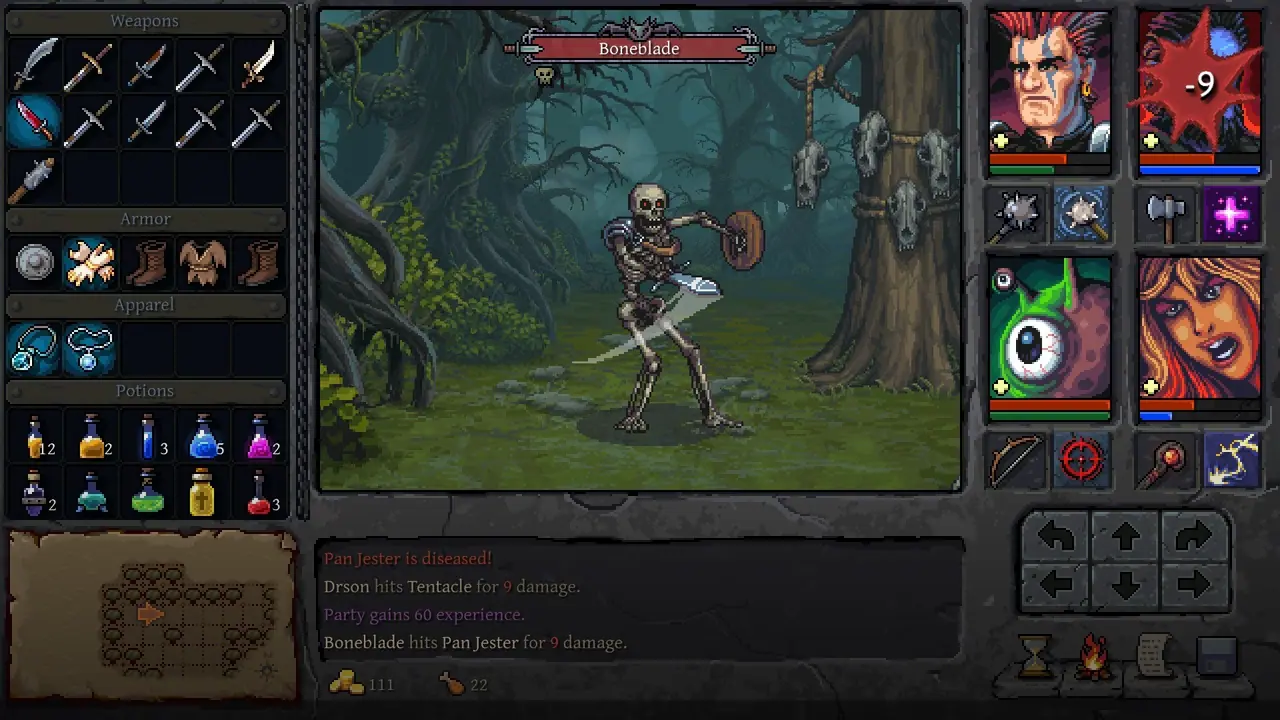
- The game is a 2D-style grid dungeon crawler, not a 3D benchmark.
This page only repeats what the Steam listing says. Where a number is missing, it says so instead of guessing.
Minimum requirements
| Component | Minimum |
|---|---|
| OS | Windows 10 64-bit |
| Processor | Not listed |
| Memory | Not listed |
| Graphics | OpenGL 3.2 compatible GPU |
| DirectX | Not required |
| Storage | Not listed |
The OpenGL 3.2 line is the one that matters. OpenGL is a graphics API, not a performance tier: a card can support OpenGL 3.2 and still be slow, and a newer card can run the game without breaking a sweat. The requirement tells you the game will launch; it does not tell you the frame rate.
Recommended requirements
| Component | Recommended |
|---|---|
| OS | 64-bit Windows |
| Processor | Not listed |
| Memory | Not listed |
| Graphics | Not listed |
| Storage | Not listed |
The recommended section is effectively blank beyond the 64-bit OS. That is unusual, but it is also honest: the game's presentation is a grid-based dungeon crawler with 2D sprites and a fixed camera, so the GPU load is light compared with a 3D action game. The CPU load comes from turn resolution and party calculations, not from rendering.
What OpenGL 3.2 means in practice
OpenGL 3.2 was finalized in 2009, so most GPUs from the last decade support it. The exceptions are:
- Very old integrated graphics that only expose OpenGL 2.x.
- Some virtual machines and remote-desktop GPUs with a limited driver.
- Systems using a generic Microsoft display driver instead of the vendor driver.
If the game refuses to launch or shows a black screen, update the GPU driver from Intel, AMD or Nvidia first. A driver from Windows Update is often older than the vendor's current release and may expose a lower OpenGL version.
A modern card with a stale driver can fail an OpenGL check. Install the vendor driver, reboot and try again before you conclude the hardware is too weak.
Can a laptop run Underkeep?
Probably, if the laptop has a recent Intel or AMD integrated GPU and a current driver. The listed bar is OpenGL 3.2, not a discrete card, and the game does not list a VRAM figure. A laptop that runs other 2D indie games should be fine.
The risk is not raw performance; it is driver support. Some low-power laptops ship with an OEM driver that never receives OpenGL updates. If the game launches but the UI is garbled, the driver is the first suspect.
Steam Deck and handhelds
Valve has not published an official Steam Deck compatibility rating for Underkeep as of November 9, 2026. The game is a Windows title, and the store does not list a Linux build. That does not mean it cannot run through Proton; it means there is no official confirmation.
If you try it on a handheld, expect to use the touchscreen or a controller profile. The game is turn-based, so input latency is less punishing than in an action game, but the small UI text is the real question.
Performance tips that do not require a new PC
Underkeep is not a game where you need 120 fps. The useful changes are the ones that keep the UI readable and the turns responsive:
- Run in windowed mode if the full-screen scaling looks soft.
- Lower the resolution rather than the frame cap; a grid crawler benefits from crisp text.
- Close background applications that use the GPU, especially browsers with hardware acceleration.
- Keep the game on an SSD if you have one; room transitions and saves are faster.
- Update the GPU driver before every major patch.
The game has no official graphics preset list published on the store page, so treat the in-game options as the source of truth.
Is Underkeep demanding?
No. The store describes a 90s-style grid dungeon crawler with handcrafted dungeons, a party of four, an automap and turn-based combat. That design is light on the GPU and moderate on the CPU. The absence of a recommended CPU and RAM figure is a signal that the developers did not consider the game a hardware stress test.
The one caveat is that "light" does not mean "bug-free on every driver". OpenGL titles are more sensitive to driver quality than DirectX titles, especially on integrated graphics and virtual machines.
What you need beyond the spec
- A mouse and keyboard. The game is grid-based and menu-driven; a mouse helps with the automap and inventory.
- A save backup habit. Steam Cloud is listed, but a local backup is still useful if you care about a long run.
- Time. Underkeep is a campaign, not a ten-minute arcade game.
The beginner guide→ covers the first party and the first dungeon. The achievements page→ lists the 32 Steam achievements, including the level and ending milestones.
FAQ
What are the Underkeep system requirements?
Windows 10 64-bit and an OpenGL 3.2 compatible GPU. The store does not list a minimum CPU, RAM or storage figure.
Is there a recommended GPU?
No. The recommended section only lists a 64-bit OS.
Does Underkeep need DirectX?
No. The graphics requirement is OpenGL 3.2, not DirectX.
Can I run Underkeep on integrated graphics?
If the integrated GPU supports OpenGL 3.2 and has a current driver, it should meet the listed requirement. There is no official performance guarantee.
Is Underkeep Steam Deck verified?
No official Steam Deck rating was listed as of November 9, 2026.
Official source: Underkeep on Steam ↗, Underkeep news ↗, Rake in Grass ↗
More Underkeep Guides
Underkeep bosses listed with confirmed names, the fights that gate progression, the immunities to test, and the preparation checklist that prevents wipes.
All seven Underkeep classes explained: main stat, resource, front or back row, weapon requirements, and the race that fits each one.
How Underkeep combat works: one action per hero, free actions, damage and armor math, crit and evasion formulas, status effects, and turn order.
Spare or kill the Underkeep dragon: the Durok quest you need first, the three Korr checks, the pillar route, and how to cross the fire field alive.
What is confirmed about Underkeep endings: multiple outcomes, the quests that matter, why special dialogue is not always best, and how to save for branches.
Underkeep equipment explained: weapon types per class, armor slots, how armor and sharpness change damage, which tools share the budget, and when to upgrade.
How Underkeep exploration works: which tools open which obstacles, how to search walls and graves, food and resting, and Waystone fast travel.
The Underkeep first party for a blind run: four heroes, race picks, early skills, gear priorities, and the first purchases that keep the run alive.